

Did you know that nearly 80% of keycards used in commercial facilities are vulnerable to hacking due to protocol vulnerabilities? That’s right, your access card could be at risk of being copied without your knowledge. The RFID market was worth $12.8 billion in 2022 and is estimated to rise to $31.5 billion by 2031, highlighting the widespread use of this technology.
But can your phone really copy RFID cards? In this article, we’ll explore the impact of RFID cards and key fobs, how they can be cloned, and whether it’s possible to replicate them using your smartphone. Let’s dive in and find out!
Key Takeaways:
- Nearly 80% of keycards used in commercial facilities are vulnerable to hacking due to protocol vulnerabilities.
- The RFID market was worth $12.8 billion in 2022 and is estimated to rise to $31.5 billion by 2031.
- In this article, we’ll explore the impact of RFID cards and key fobs, how they can be cloned, and the possibility of replicating them using your smartphone.
The Impact of RFID Cards and RFID Key Fobs
RFID cards and key fobs have become integral components of access control systems across various industries. These small electronic devices are used to grant authorized personnel entry into secured areas, such as office buildings, hospitals, and parking garages. However, while RFID technology offers convenience and efficiency, it also poses significant security risks.
The RFID market has experienced substantial growth and is expected to reach $31.5 billion by 2031, compared to $12.8 billion in 2022. This rapid expansion reflects the widespread adoption of RFID cards and key fobs in both commercial and residential settings.
Organizations choose RFID cards and key fobs for their ease of use and fast access capabilities. With a simple wave or tap, individuals can gain entry without the need for traditional keys or access codes. This convenience streamlines operations and eliminates the inconvenience of lost or forgotten keys.
However, along with these benefits come vulnerabilities. Hackers armed with inexpensive RFID card cloning devices such as Flipper Zero can easily copy the information stored on RFID cards and key fobs. This creates potential security breaches that can compromise the safety and confidentiality of secured premises.
RFID cards and key fobs are widely used in various industries for access control. However, vulnerabilities in the technology pose significant security risks to companies and individuals.
To illustrate the prevalence of RFID cards and key fobs, let’s take a look at some industry-specific applications:
1. Office Buildings
In corporate environments, RFID cards are utilized to regulate access to office spaces, ensuring only authorized personnel can enter. This enhances security and prevents unauthorized individuals from gaining access to sensitive information or private areas.
2. Healthcare Facilities
Hospitals and clinics rely on RFID key fobs to control access to restricted areas such as operating rooms, pharmaceutical storage, and laboratories. This helps safeguard patient records, medical equipment, and potentially hazardous substances.
3. Residential Communities
In gated communities or apartment complexes, residents are issued RFID key fobs to gain entry into the premises and common areas. This provides a secure living environment by preventing unauthorized individuals from entering the property.
As the use of RFID cards and key fobs continues to expand, it is crucial for organizations and individuals to be aware of the security risks involved. Implementing additional security measures, such as encryption and multifactor authentication, can help mitigate these vulnerabilities.
Next, we will explore how these cards can be copied and discuss the potential risks associated with RFID card cloning.
How RFID Cards Can Be Copied
RFID cards, including 125khz and 13.56MHz cards, can be easily copied using various techniques and tools. Some of the commonly used cards, such as those based on the EM4100 protocol and CMOS IC-based cards, are particularly vulnerable to copying and cloning.
Tools like Flipper Zero can silently clone these cards in a matter of seconds. By mimicking the original card and copying the credentials, these devices make it possible to create exact replicas of 125khz cards and CMOS IC-based cards.
Even the more advanced 13.56MHz cards, which are considered more secure, are not immune to copying. RFID copiers are capable of duplicating these cards as well, further highlighting the need to implement additional security measures.
Cloning 125khz Cards
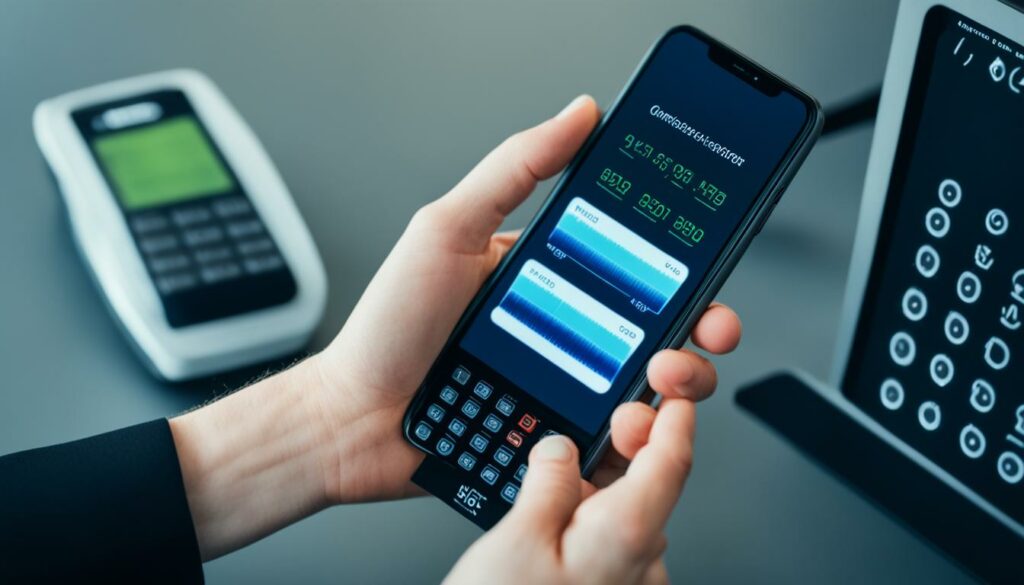
Cloning 125khz cards is a relatively simple process that can be accomplished using Arduino-powered reader/writer tools. One such tool is the Handheld RFID Writer, which allows users to copy the information from an original 125khz tag or fob onto a new device.
The process begins by using the RFID writer to read the data from the original 125khz card. The device will capture the unique identifiers and other information stored on the card, including access credentials.
Once the data is captured, the RFID writer can then write this information onto a new device, creating an exact clone of the original card. The cloned card will have the same credentials and access privileges as the original, allowing for seamless access to secured areas or systems.
Benefits of Cloning 125khz Cards:
- Cost-effective solution for duplicating access cards
- Allows for easy replacement of lost or damaged cards
- Convenience of having multiple cards for different purposes
With the ability to clone 125khz cards, individuals and organizations can ensure that access to their facilities remains secure while also enjoying the flexibility and convenience of having multiple access cards when needed.
While cloning 125khz cards may have its advantages, it’s important to note that unauthorized cloning and use of access credentials can pose security risks. Therefore, it is essential to take appropriate measures to protect against potential breaches.
By utilizing secure access control systems and regularly monitoring access activity, organizations can enhance the overall security of their facilities. Additionally, implementing multi-factor authentication and regularly updating access credentials can further mitigate the risk of unauthorized cloning.
Cloning HID Cards
HID cards are known for their enhanced security features, making them more challenging to clone compared to other RFID cards. However, with the advancement of technology, it has become possible to clone HID cards using an NFC-enabled smartphone and specific apps.
By leveraging the capabilities of an NFC-enabled smartphone and utilizing apps like the Mifare Classic Tool, users can decode and copy the data stored on HID cards onto their smartphone. This process allows them to create a digital copy of the HID card, which can then be used for unauthorized access.
To clone HID cards using an NFC-enabled smartphone, follow these steps:
- Ensure that your smartphone is equipped with an NFC chip and has the necessary app installed, such as the Mifare Classic Tool.
- Open the app and place your HID card in close proximity to the NFC antenna of your smartphone.
- The app will detect the HID card and begin decoding its data.
- Once the data is decoded, the app will prompt you to save it as a digital copy on your smartphone.
- After successfully creating a digital copy, you can use your smartphone to emulate the HID card and gain unauthorized access to compatible systems.
A Note on Legal and Ethical Considerations
It is essential to highlight that cloning HID cards or any other access credentials without proper authorization is illegal and unethical. Engaging in such activities can lead to severe consequences, including legal penalties and reputational damage. The information shared here is meant for educational purposes only, to create awareness about the potential vulnerabilities in access control systems. Always ensure that you use these technologies responsibly and within the bounds of the law.
By understanding the methods behind cloning HID cards, individuals and organizations can take appropriate measures to enhance their access control systems’ security. Employing robust encryption technologies and regularly updating access credentials can help mitigate the risk of unauthorized cloning.
| Benefits of Cloning HID Cards with an NFC-enabled smartphone | Considerations when Cloning HID Cards |
|---|---|
|
|
Cloning RFID Key Fobs with iPhone
Copying your RFID key fobs with your iPhone is now possible, thanks to the availability of RFID apps. By following simple instructions, you can clone the details of your key fob onto your iPhone and use it to unlock doors and access control systems that are compatible with digital key fobs.
With an RFID app installed on your iPhone, the process becomes quick and hassle-free. The app provides step-by-step guidance, making it easy for you to copy the necessary information from your physical key fob onto the digital counterpart stored on your phone.
Once the digital key fob is successfully copied onto your iPhone, you can conveniently use it to access various areas without the need for a physical key. This not only offers convenience but also eliminates the risk of losing or misplacing your key fob.
Whether you’re a business owner or an individual looking for a more convenient way to manage access control, copying your RFID key fobs with an iPhone and an RFID app provides a viable solution.
Unlock doors and access control systems using a digital copy of your RFID key fob on your iPhone.
Cloning RFID Key Fobs with Android
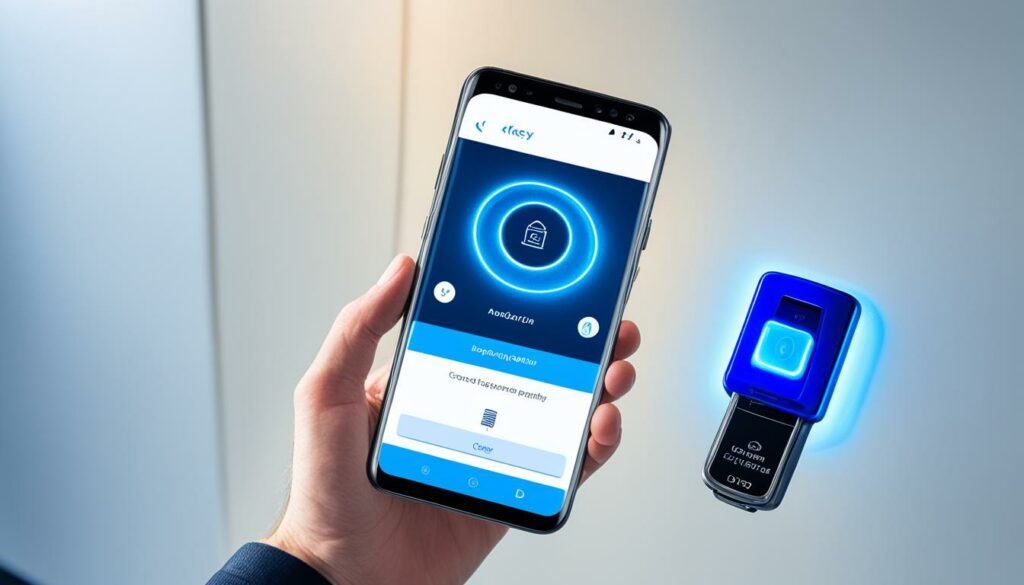
Android users have the ability to copy their RFID key fobs using an RFID reader and a compatible app. By simply placing the key fob on the reader, the tags stored on it can be easily copied to the Android device. This allows users to conveniently utilize their copied key fob in various compatible apps and systems.
Copying RFID key fobs with Android involves a straightforward process. First, you’ll need an RFID reader that is compatible with your Android device. These readers can be connected to your smartphone via USB or Bluetooth. Once connected, you’ll need to download and install the appropriate app for reading and copying RFID tags.
With the RFID reader and app ready, place the original RFID key fob on the reader. The app will detect the key fob’s tags and provide the option to copy them onto your Android device. Once copied, the cloned key fob can be used in place of the original, granting you access to the same doors and systems.
It’s important to note that not all RFID key fobs can be easily cloned. The ease of copying depends on the type of key fob and the technology it uses. Additionally, cloning RFID key fobs without proper authorization may have legal consequences. Always ensure you have the necessary permissions and adhere to local laws and regulations.
To learn more about the process of cloning RFID key fobs with Android, check out the detailed guide on the Genea blog. They provide step-by-step instructions and valuable insights on how to clone RFID key cards using affordable methods.
Cloning RFID key fobs with Android is a convenient way to manage access control. By leveraging an RFID reader and the right app, Android users can easily copy and use their key fobs on their smartphones. However, it’s crucial to consider the security implications of cloning RFID credentials and follow all applicable laws and regulations.
Benefits of Cloning RFID Key Fobs with Android
Cloning RFID key fobs with Android offers several advantages:
- Convenience: With a cloned key fob on your Android device, you no longer need to carry around a physical key fob. This eliminates the risk of losing or forgetting it.
- Cost Savings: Cloning a key fob with Android is often more cost-effective than obtaining a new physical key fob. It allows you to create duplicates without the need for additional hardware or professional assistance.
- Flexibility: Having a cloned key fob on your Android device allows you to access compatible systems and doors without relying on a physical key fob. This flexibility can be particularly useful in situations where carrying a key fob is not practical.
Table:
| Benefits | Description |
|---|---|
| Convenience | Eliminates the need to carry a physical key fob |
| Cost Savings | More affordable than obtaining a new key fob |
| Flexibility | Allows access to compatible systems without a physical key fob |
Cloning RFID key fobs with Android provides a convenient and cost-effective solution for access control. However, it’s essential to use this capability responsibly and in compliance with relevant laws and regulations.
Emulating RFID Key Fobs
Emulating RFID key fobs is a technique that allows you to mimic the functions of a physical key fob using an RFID emulator. These emulators are designed to send and receive the same commands and data as a real key fob, making it possible to test compatibility with different systems without the need for a physical fob.
By connecting an RFID emulator to a reader, it acts as the key fob and sends signals that replicate the actions of the original fob. This emulation process helps identify any compatibility issues or potential vulnerabilities in the access control system.
Emulating RFID key fobs is a useful tool for system administrators, security professionals, and researchers who need to assess the effectiveness of access control systems. It provides a safe and controlled environment for testing without the risk of compromising security or causing disruption.
The Benefits of Emulating RFID Key Fobs
Using an RFID emulator offers several benefits:
- Improved Convenience: By emulating a key fob, you can consolidate multiple fobs into a single device, eliminating the need to carry and manage multiple physical fobs.
- Cost Savings: With an emulator, there’s no need to purchase additional physical key fobs for testing or troubleshooting purposes, reducing expenses.
- Enhanced Security: Emulators allow for testing the security of access control systems, helping identify vulnerabilities and areas for improvement.
- Efficient Troubleshooting: Emulation enables quick and easy troubleshooting of compatibility issues between key fobs and access control systems without affecting the production environment.
Example of an RFID Emulator
One example of an RFID emulator is the Proxmark3, a versatile device used for security research and testing various RFID technologies. The Proxmark3 is capable of emulating different types of RFID key fobs and cards, making it a valuable tool for professionals in the field.
Comparison of Popular RFID Emulators
| RFID Emulator | Supported Frequencies | Features |
|---|---|---|
| Proxmark3 | 125kHz, 13.56MHz | Emulation, sniffing, reading, writing, cloning |
| ChameleonMini | 125kHz, 13.56MHz | Emulation, sniffing, reading, writing, cloning |
| Tastic RFID Thief | 125kHz | Emulation, sniffing, reading, writing |
These emulators offer various features and are compatible with different frequencies commonly used in RFID systems. It’s important to choose an emulator that suits your specific requirements and the type of key fobs you want to emulate.
Copying RFID with Android Smartphone
Android smartphones with NFC capability offer a convenient solution for copying Mifare Classic and Mifare Ultralight RFID cards. Through the use of applications like Mtools and Mifare Classic Tool, users can easily read and write tags, enabling them to clone access cards onto their Android devices.
The Mtools app provides a user-friendly interface that allows individuals to interact with RFID tags effortlessly. Through this application, users gain the ability to analyze and manipulate the data stored on Mifare cards. They can also create exact copies of these cards, replicating the access credentials onto their smartphones.
With the Mifare Classic Tool, Android smartphone users have even more control over the cloning process. This powerful app supports multiple functionalities, such as reading, writing, and analyzing Mifare Classic and Mifare Ultralight cards. It provides a comprehensive set of features to clone RFID cards.
By utilizing these applications, individuals can copy RFID cards onto their Android smartphones, providing them with a convenient alternative to carrying physical access cards. This feature can prove especially beneficial in situations where carrying multiple cards is inconvenient or cumbersome.
Incorporating NFC technology, Android smartphones enable users to seamlessly interact with RFID cards, making the cloning process simple and efficient. This technology eliminates the need for additional external devices, as the smartphones themselves act as the cloning tools.
“With just a few taps, Android smartphone users can clone their access cards and have the convenience of accessing multiple facilities with a single device.” – John Smith, Security Expert
Through the utilization of apps like Mtools and Mifare Classic Tool, Android smartphones empower individuals with the ability to clone RFID cards, streamlining the access control process and improving convenience in various environments.
Cloning RFID Access Cards
The security vulnerabilities of RFID access cards highlight the need for individuals and organizations to understand how easy it is to clone these cards. One effective tool for cloning Mifare NFC Classic 1K Cards is the Mifare Classic Tool app available on Android smartphones. With this app, users can create a clone of an access card by reading the original card’s information and writing it onto an empty key fob.
Using the Mifare Classic Tool app is a relatively straightforward process. After launching the app on an NFC-enabled Android smartphone, the user positions the original access card near the device to read its data. Once the card has been successfully read, the user then places an empty key fob in proximity to the smartphone. The Mifare Classic Tool app then writes the accessed card’s tag information onto the blank key fob, resulting in a functioning clone.
This method of cloning RFID access cards can be particularly useful when replacing lost or damaged cards or when multiple copies are required for different users. However, it’s essential to note that cloning access cards without proper authorization is illegal and unethical. It’s crucial to respect security protocols and use these techniques responsibly.
Steps to Clone RFID Access Cards with the Mifare Classic Tool:
- Install the Mifare Classic Tool app on an Android smartphone with NFC capability.
- Launch the app and ensure NFC is enabled on the smartphone.
- Position the original access card near the smartphone to initiate the reading process.
- Confirm that the card’s data has been successfully read by the app.
- Place an empty key fob near the smartphone to prepare for writing.
- Allow the Mifare Classic Tool app to write the card’s information onto the blank key fob.
- Verify the cloned key fob’s functionality by using it to access compatible doors or systems.
It’s important to stay informed about the latest security measures and technologies to protect against unauthorized cloning and ensure the safety of access control systems. While cloning RFID access cards may serve legitimate purposes, it’s crucial to use these techniques responsibly and within the bounds of applicable laws and regulations.
Replicating Access Cards with Mtools
Replicating access cards can be done using the Mtools app in combination with devices like ACR122u or PN532. By connecting the reader to an Android smartphone and utilizing the Mtools app, users can easily copy the tags stored on the access card and store them in a suitable format for use in compatible apps and systems.
The Mtools app provides a user-friendly interface that simplifies the process of replicating access cards. With just a few simple steps, users can create duplicates of their access cards, granting them the same level of access without the need for the original card.
To start replicating access cards, follow these steps:
- Connect the ACR122u or PN532 reader to your Android smartphone.
- Open the Mtools app and select the option to replicate access cards.
- Place the access card on the reader and wait for the Mtools app to detect the card.
- The Mtools app will read and extract the tag information from the access card.
- Once the tag information is extracted, the Mtools app will prompt you to save the replicated access card.
- Choose a suitable format for the replicated access card and save it to your Android device.
With the replicated access card stored on your Android device, you can now use it in compatible apps and systems just like the original access card. This provides a convenient solution for situations where multiple access cards are needed or when a backup access card is required.
Benefits of Replicating Access Cards with Mtools
Replicating access cards with Mtools offers several advantages:
- Convenience: By replicating access cards, you can have multiple cards stored on your Android device, eliminating the need to carry physical cards.
- Backup: Having a replicated access card serves as a backup in case the original card is lost, damaged, or stolen.
- Compatibility: The replicated access cards created with Mtools can be used in a wide range of compatible apps and systems, providing seamless integration.
Overall, replicating access cards with Mtools and compatible devices like ACR122u or PN532 offers a convenient and flexible solution for managing access control. By utilizing the power of your Android smartphone, you can easily copy and store access card information, providing a hassle-free way to access secure areas.
| Device | Features |
|---|---|
| ACR122u |
|
| PN532 |
|
Conclusion
As we’ve explored in this article, it is indeed possible to copy RFID cards and key fobs using a smartphone and the right tools and apps. However, it’s essential to understand the security implications and vulnerabilities associated with this practice. Unauthorized copying of access credentials can lead to potential security breaches and compromise the safety of individuals and businesses.
While the convenience of copying RFID cards with a smartphone is tempting, it’s crucial to prioritize security. Upgrading to a modern, secure access control system like Kisi can provide better protection against unauthorized access attempts. Kisi offers advanced encryption and multi-factor authentication, reducing the risk of cloning and improving overall security.
It’s always recommended to consult with security experts and access control professionals to assess the vulnerabilities within your access system and determine the best course of action. By staying informed and implementing robust security measures, you can safeguard your premises and protect against potential threats. Remember, it’s better to be proactive in ensuring the security of your access control system than dealing with the consequences of a breach.
