

Did you know that you can transform your mobile phone into an RFID card for access control systems? It may sound surprising, but it is indeed possible to use your phone as an electronic access card. With the right methods and apps, you can unlock this convenient feature and enjoy the benefits of mobile-based access control. Let’s dive into the world of smartphone RFID card technology and discover how you can turn your phone into an RFID card.
Key Takeaways:
- It is possible to use your mobile phone as an RFID card for access control systems.
- There are methods and apps available to turn your phone into an electronic access card.
- Both iPhone and Android devices can be used as RFID cards with the help of specific apps and hardware.
- Mobile-based access control systems offer convenience, enhanced security, and the potential for future advancements.
- Considerations for compatibility, security, and privacy are important when using your phone as an RFID card.
Understanding RFID Technology and Access Control Systems
RFID (radio-frequency identification) technology plays a crucial role in modern access control systems. These systems rely on RFID card readers, which use radio waves to communicate with RFID cards and determine access to specific areas. By understanding the fundamentals of RFID technology, we can explore how it can be applied to mobile phones for enhanced accessibility.
In access control systems, RFID card readers serve as the bridge between the physical world and the digital realm. These readers transmit and receive identification messages using radio waves, allowing them to communicate with RFID cards. The cards contain unique identification data that helps the reader grant or deny access based on authorization levels established by the system.
RFID technology is based on radio waves and consists of two main components: the RFID card and the RFID reader. The card, usually in the form of a small tag or key fob, contains an embedded microchip and an antenna. When brought into proximity with an RFID reader, the card’s antenna receives energy from the reader’s radio waves, enabling the card’s microchip to transmit its stored data back to the reader for verification.
Access control systems are designed to prevent unauthorized individuals from entering restricted areas. By harnessing the power of RFID technology, these systems provide a secure and efficient means of managing access rights. Whether it’s granting access to employees in an office building or controlling entry to a restricted facility, RFID technology ensures that only authorized individuals can gain access.
RFID card readers come in various forms, including wall-mounted readers, door-mounted readers, and proximity card readers. Wall-mounted and door-mounted readers are commonly used in buildings, while proximity card readers are small, handheld devices used for shorter-range access control requirements.
Access control systems leveraging RF technology are widely used in industries such as healthcare, education, corporate settings, and government facilities. They provide a flexible and secure method of controlling access, reducing the need for physical keys or identification cards.
RFID Card Readers: Key Components of Access Control Systems
To better understand how RFID technology works, let’s take a closer look at the components of an RFID card reader:
| Component | Description |
|---|---|
| Antenna | The antenna captures radio waves and transfers energy to the RFID card for data transmission. |
| Controller | The controller processes the received data from the RFID card and communicates with the access control system. |
| Interface | The interface connects the RFID card reader to the access control system, enabling real-time data transfer and communication. |
| Power Supply | The power supply provides the necessary electrical energy to operate the RFID card reader. |
Understanding the components of an RFID card reader helps us recognize the role it plays in access control systems. By working in tandem with RFID cards, RFID card readers provide a seamless and secure method of authentication.
Using an iPhone as an RFID Card
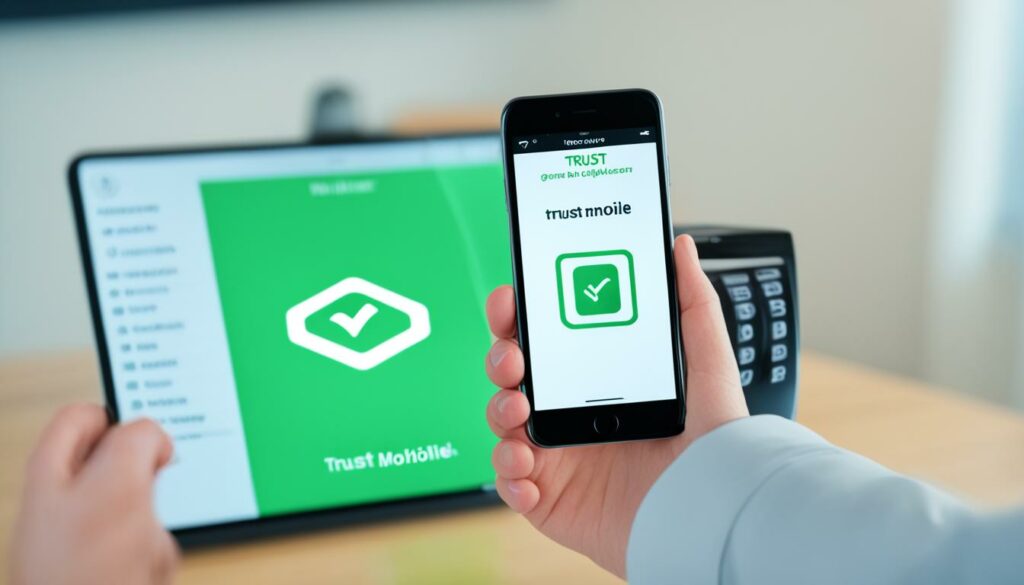
If you have an iPhone, you can easily transform it into an RFID card with the help of specialized apps. There are several reliable options available, such as Trust Mobile and NFC Tag Info, that can assist you in copying the details from your physical RFID key fob onto your iPhone.
To get started, follow these simple steps:
- Install the RFID app of your choice, such as Trust Mobile or NFC Tag Info, from the App Store.
- Place the backside of your iPhone near the RFID key fob you want to copy.
- Open the RFID app and follow the provided instructions to initiate the copying process.
- Wait for the app to complete the copying process, which usually takes a few seconds.
Once the copying process is finished, your iPhone will contain the same access information as the original RFID key fob. This means you can now use your iPhone to access areas controlled by RFID card readers, just like you would with a physical card.
By leveraging the capabilities of your iPhone and the convenience of an RFID app, you can streamline your access control experience and eliminate the need to carry a physical card. Additionally, using your iPhone as an RFID card allows for easy management and organization of your access credentials within a single device.
Using an Android Phone as an RFID Card
When it comes to using your Android phone as an RFID card, there are a few steps you can follow to make it possible. One key component you’ll need is an RFID reader, which will allow you to copy the tags stored on an RFID key fob.
There are various RFID readers available for Android phones, such as USB NFC card readers or dedicated Android NFC card readers. Once you have your reader, the next step is to install the appropriate app for your device. Two popular options are NFC Tools and NFC Reader, both of which offer user-friendly interfaces for managing RFID tags.
Now that you have your RFID reader and app set up, it’s time to copy the tags from your key fob onto your Android device. Simply place the key fob on the reader and use the app to initiate the copying process. The app will guide you through the steps, making it a seamless experience.
Step-by-Step Guide: Using an Android phone as an RFID card with NFC Tools
- Download and install the NFC Tools app from the Google Play Store.
- Open the app and tap on the “Read” button.
- Place your RFID key fob on the back of your Android phone, near the NFC chip.
- The app will detect the key fob and display the stored tags.
- Select the tags you want to copy and tap on the “Write” button.
- Follow the on-screen instructions to complete the copying process.
- Once the tags are copied, you can use them in any compatible app or system that requires RFID tags.
It’s worth noting that compatibility may vary depending on the specific Android device and RFID reader you use. It’s always a good idea to check the device’s specifications and consult with the reader manufacturer if needed.
Comparing NFC Tools and NFC Reader
| Feature | NFC Tools | NFC Reader |
|---|---|---|
| Compatibility | Wide range of Android devices | Specifically designed for NFC readers |
| User-Friendly Interface | Intuitive and easy to navigate | Simple design with basic functionalities |
| Tag Management | Ability to read, write, and edit tags | Limited tag management features |
| Additional Features | Tag analysis, NFC chip diagnostics, task automation | Basic tag reading and writing capabilities |
Both NFC Tools and NFC Reader offer convenient solutions for using your Android phone as an RFID card. While NFC Tools provides a more comprehensive set of features, NFC Reader is specifically designed for NFC readers, ensuring optimal performance.
Exploring RFID Card Emulation Apps
When it comes to emulating the functionality of an RFID card on your Android phone, there are various RFID card emulator apps available on the Google Play Store. These apps, primarily geared towards developers, can help you communicate with RFID readers using your phone. However, they may require specific technical knowledge to operate, making them less user-friendly for non-developers.
RFID card emulator apps for Android serve as powerful developer utilities, allowing you to experiment with RFID technology and explore its potential applications. These apps offer an opportunity to simulate the behavior of RFID cards, enabling you to test and fine-tune your own apps or system integrations.
Benefits of RFID Card Emulation Apps
The use of RFID card emulation apps provides several benefits for developers:
- Time and Cost Efficiency: Developing and deploying physical RFID cards can be time-consuming and costly. Emulator apps eliminate the need for physical cards, allowing you to streamline the development process and save expenses on card production.
- Flexibility and Adaptability: Emulation apps give you the ability to modify and customize the behavior of RFID cards, tailoring them to specific scenarios or requirements. You can easily adjust parameters, such as card identifiers or access permissions, without physical constraints.
- Debugging and Testing: Emulator apps make it easier to debug and test your RFID-based systems or applications. You can simulate different scenarios and interactions to identify and resolve any issues or inconsistencies.
- Integration and Interoperability: Working with emulator apps allows you to integrate RFID functionality seamlessly into your own applications or systems. This opens up possibilities for creating innovative features or extending the capabilities of existing solutions.
Overall, RFID card emulator apps for Android provide a valuable toolkit for developers to experiment, innovate, and refine their RFID-based projects. These utilities empower you to harness the potential of RFID technology and explore its diverse applications.
When using these apps, remember to keep the target audience in mind. While they may not be as user-friendly for non-developers, they offer immense value for those looking to dive deeper into the technical aspects of RFID technology. If you’re a developer with the required technical knowledge, these emulator apps can be invaluable tools in your toolkit.
Understanding the Tech Behind Mobile-Based Access Control
Mobile-based access control systems rely on a combination of RFID (radio-frequency identification) and Bluetooth technologies. These technologies enable smartphones to function as access cards, offering a convenient and secure solution for access control.
Many smartphones today are equipped with NFC (near-field communication) chips that adhere to the NFC standard. This allows them to communicate with RFID cards and readers, making them compatible with existing access control systems.
Additionally, smartphones also have Bluetooth chips that use the Bluetooth Low Energy (BLE) protocol. This enables secure communication between the smartphone and access control readers, ensuring reliable and efficient access control.
By leveraging these technologies, mobile-based access control systems provide a seamless and user-friendly experience, allowing individuals to use their smartphones as electronic access cards. Whether it’s tapping the phone on an NFC-enabled reader or pairing it with a Bluetooth-equipped reader, mobile-based access control offers convenience and flexibility.
The Role of RFID Technology
RFID technology forms the backbone of mobile-based access control systems. RFID cards and readers work together to transmit and receive identification messages using radio waves. The smartphone’s NFC chip allows it to mimic the functionality of an RFID card, enabling communication with existing access control readers.
The Significance of Bluetooth Technology
Bluetooth technology, specifically Bluetooth Low Energy (BLE), plays a crucial role in mobile-based access control. It enables secure and efficient communication between the smartphone and access control readers. By utilizing the BLE protocol, smartphones can establish a secure connection with access control readers, providing a seamless process for granting or denying access.
“The combination of RFID and Bluetooth technologies in mobile-based access control systems ensures compatibility, convenience, and security.” – Access Control Expert
Overall, mobile-based access control systems leverage the capabilities of NFC and Bluetooth technologies to transform smartphones into access cards. This innovative solution offers convenience, security, and ease of use for individuals and organizations seeking a modern approach to access control.
| Key Technologies | Benefits |
|---|---|
| RFID | – Compatibility with existing access control systems – Convenient identification and communication |
| Bluetooth | – Secure and efficient communication – Seamless integration with access control readers |
Advantages of Mobile Access Credentials
Mobile access credentials offer numerous benefits over traditional RFID cards. With the advancement of technology, using your smartphone as an access credential has become increasingly convenient and secure. Let’s explore the advantages of mobile access credentials:
1. Convenience
Mobile access solutions eliminate the need for physical cards, making it easier to manage and access your credentials. Instead of carrying multiple cards, you can simply use your smartphone for seamless entry to secure areas. With just a few taps on your screen, you can grant or revoke access, saving time and simplifying your daily routine.
2. Security
Mobile access credentials provide an added layer of security compared to traditional RFID cards. Your smartphone can be protected by biometric authentication, such as fingerprint or facial recognition, making it more secure than a physical card that could be lost, stolen, or duplicated. Additionally, mobile access systems often employ encryption protocols to ensure the confidentiality of your data.
3. User Interface
Mobile-based access systems offer a user-friendly interface that allows you to manage your credentials with ease. Through dedicated mobile apps, you can view your access history, track usage, and receive real-time notifications regarding your access activity. These intuitive interfaces provide a seamless user experience, empowering you to stay in control of your access at all times.
4. Cloud-Based Systems
Mobile access credentials can leverage the capabilities of cloud-based systems to offer enhanced functionality. Cloud-based systems provide centralized control, allowing you to manage access rights, update credentials, and analyze data from anywhere. These systems also ensure reliable connectivity, as your credentials are securely stored in the cloud, reducing the risk of data loss or device failure.
Overall, mobile access credentials offer a convenient, secure, and user-friendly solution for modern access control systems. By harnessing the power of smartphones and cloud-based systems, mobile access technologies are revolutionizing the way we interact with security systems.
| Advantage | Description |
|---|---|
| Convenience | Eliminates the need for physical cards, simplifying access management. |
| Security | Enhanced security through biometric authentication and encryption. |
| User Interface | Intuitive mobile apps for easy management and tracking of credentials. |
| Cloud-Based Systems | Leverages cloud technology for centralized control and reliable connectivity. |
Mobile Solutions and the Future of Access Control
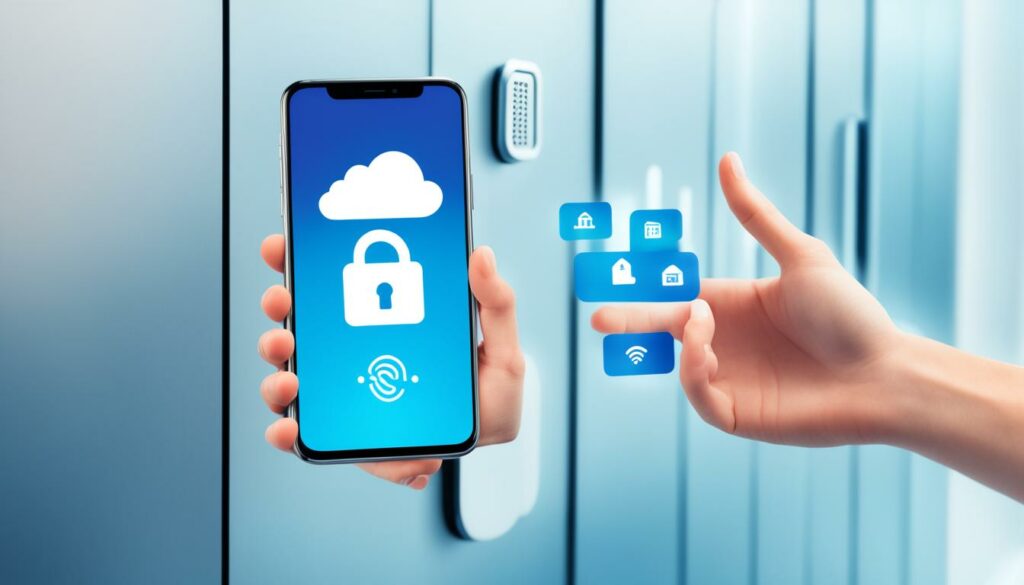
As technology evolves, mobile solutions are revolutionizing the field of access control. With the integration of cloud-based systems, data tracking, Bluetooth/NFC chip technology, QR codes, and a user-friendly mobile app interface, the future of access control is set to be more convenient, secure, and efficient than ever.
Cloud-based Systems for Efficient Access Control
Cloud-based systems offer a central platform for managing and monitoring access control across multiple locations. By storing data securely in the cloud, these systems provide real-time access monitoring, tracking, and reporting capabilities. This allows administrators to gain insights into access patterns, identify anomalies, and implement effective security changes promptly.
Data Tracking Enhances Access Control Strategies
With mobile solutions and cloud-based systems, comprehensive data tracking becomes a reality. These systems can collect and analyze data related to access events, including entry/exit times, user identification, and access points. Tracking data enables administrators to assess and improve security protocols, optimize resource allocation, and make informed access control decisions.
Bluetooth/NFC Chip Technology for Seamless Communication
Mobile solutions incorporate Bluetooth and NFC (Near Field Communication) chip technologies to enable seamless communication between smartphones and access control readers. NFC chips are compatible with RFID cards and readers, allowing smartphones to replicate the functionality of these cards. Bluetooth technology ensures secure and convenient communication between the mobile device and access control systems, making the use of smartphones as access credentials smooth and hassle-free.
QR Codes: A Unique and Secure Access Authentication Method
Mobile apps equipped with QR code capabilities offer a unique and secure method of access authentication. By generating dynamic QR codes, these apps allow users to authenticate their access using their smartphones. QR codes provide an added layer of security as they can be changed frequently and are difficult to counterfeit.
“With the use of mobile solutions, access control is becoming more streamlined and user-friendly, allowing individuals to access secured areas conveniently while ensuring the highest level of security.”
A User-Friendly Mobile App Interface
The user interface of mobile access control apps plays a significant role in enhancing the overall experience. User-friendly interfaces provide intuitive navigation, real-time notifications, and features such as access history tracking. Users can easily manage their credentials, grant temporary access, and receive alerts for any suspicious activity, ensuring a seamless and secure access control experience.
Overall, the integration of cloud-based systems, data tracking, Bluetooth/NFC chip technology, QR codes, and a user-friendly mobile app interface is shaping the future of access control. This innovative approach offers enhanced convenience, security, and functionality, making mobile solutions the go-to choice for access control management.
| Benefits of Mobile Solutions in Access Control |
|---|
| Convenience |
| Easy management of access credentials through mobile apps. |
| Real-time access notifications for better control. |
| Security |
| Robust encryption protocols for data protection. |
| Enhanced authentication methods like biometrics. |
| Functionality |
| Integration of data tracking and analysis capabilities. |
| Flexibility in granting temporary access. |
Advancements in Mobile Access Control Technology
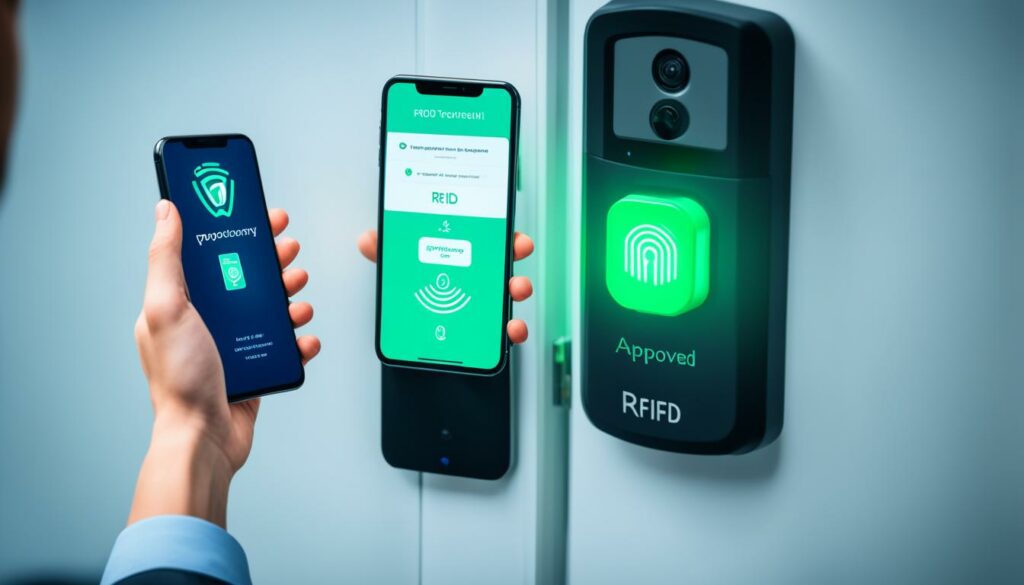
Mobile access control technology continues to evolve, bringing forth exciting advancements that enhance the security and convenience of access control systems. One such advancement is the integration of biometric authentication methods, such as facial recognition and fingerprint scanning, into mobile access solutions. By utilizing these biometric features, mobile devices can provide an extra layer of security, ensuring that only authorized individuals can gain access.
Facial Recognition: Securing Access with a Smile
Facial recognition technology is revolutionizing the way we authenticate our identities. By analyzing unique facial features, mobile access control systems can accurately verify individuals and grant access accordingly. This advanced biometric method eliminates the need for physical cards or PINs, reducing the risk of unauthorized access due to lost or stolen credentials. With a simple glance at their mobile device, users can effortlessly gain entry.
Facial recognition technology offers numerous advantages over traditional access control methods. It is highly secure as it relies on distinct facial characteristics that are difficult to replicate. Additionally, it provides a seamless and user-friendly experience, enabling individuals to access their designated areas with ease and convenience.
Table: Advancements in Mobile Access Control Technology
| Advancement | Description |
|---|---|
| Facial Recognition | Integrating facial recognition technology into mobile access control systems enhances security by verifying unique facial features. |
| Biometric Authentication | Mobile devices are now capable of utilizing fingerprint scanning methods for secure access control. |
| Wearable Devices | Advancements in wearable technology allow devices like smartwatches to serve as access credentials, expanding the capabilities of mobile-based access control. |
Biometric Authentication: Convenient and Secure
In addition to facial recognition, mobile access control solutions are increasingly incorporating biometric authentication methods such as fingerprint scanning. By utilizing the built-in fingerprint sensors available on many mobile devices, users can easily authenticate their identity with a simple touch. This provides a high level of security and convenience, eliminating the need for traditional access cards or key fobs.
Expanding Capabilities with Wearable Devices
Another exciting advancement in mobile access control is the integration of wearable devices as access credentials. Smartwatches and other wearable devices equipped with the necessary technology can act as secure access tokens, granting users the ability to enter controlled areas with a flick of their wrist. This innovative approach further expands the capabilities of mobile-based access control, offering convenience and flexibility in various environments.
To complement these technological advancements, continuous research and development are underway, aiming to enhance the accuracy, speed, and overall effectiveness of mobile access control solutions. As technology progresses, we can expect mobile access control systems to become even more sophisticated, ensuring both security and ease of use for users.
Implementation and Considerations for Using Your Phone as an RFID Card
Before implementing the use of your phone as an RFID card, there are several important considerations to keep in mind. Ensuring that your phone is compatible with the access control system is crucial for a successful implementation.
Firstly, it is essential to check if your phone is equipped with an NFC (near-field communication) chip. NFC technology enables communication between your phone and RFID card readers, allowing for seamless access control integration. Without an NFC chip, your phone may not have the capability to emulate an RFID card.
In addition to NFC compatibility, it is important to verify that your phone supports the required protocols for the access control system. Different systems may utilize specific protocols, such as ISO 14443 or ISO 18092, to communicate with RFID cards. Confirming protocol support is essential for smooth operation.
Furthermore, it is crucial to check if the access control system supports mobile-based access credentials. While many systems now offer this functionality, it is important to verify compatibility beforehand. This can be done by consulting with the system provider or a professional in the field.
To summarize, the successful implementation of using your phone as an RFID card requires compatibility with an NFC chip, support for the required protocols, and confirmation of mobile-based access credential compatibility. Taking these considerations into account will help ensure a smooth transition to mobile-based access control.
This study provides further insights into the implementation and considerations of mobile-based access control systems.
Security and Privacy Considerations
| Mobile Access Control Best Practices | |
|---|---|
| Security | Privacy |
|
|
When using your phone as an RFID card for mobile access control, it is essential to prioritize both security and privacy. By adopting the following best practices, you can ensure the safety of your data and protect your personal information:
“Ensuring robust encryption protocols and staying up to date with software updates are key elements in maintaining a secure mobile access control system.”
Securing your mobile access control system starts with implementing robust encryption protocols. Encryption helps safeguard sensitive data by encoding it, making it unreadable to unauthorized parties. By utilizing strong encryption algorithms, you can minimize the risk of data breaches and unauthorized access.
In addition to encryption, regularly updating your mobile device’s operating system and apps is crucial for maintaining a secure environment. Updates often include security patches that address known vulnerabilities, protecting your device and data from potential threats.
When accessing mobile access control systems, it is advisable to use secure networks. Avoid connecting to public Wi-Fi networks, as they can be easily compromised. Instead, utilize trusted and secure networks to minimize the risk of interception or unauthorized access to your data.
It is also important to exercise caution when granting access permissions to mobile apps. Review the permissions requested by each app and consider whether they are necessary for the app’s functionality. Limiting unnecessary access can help protect your privacy and reduce the risk of data misuse.
When selecting developers and providers for mobile access control systems, opt for trusted and reputable names in the industry. Conduct thorough research and review customer testimonials to ensure the reliability and trustworthiness of the system. Choosing a reputable provider can minimize the risk of security breaches and data mishandling.
While security is paramount, privacy should not be overlooked when using mobile access control systems. To protect your privacy, consider the following:
“Protecting your personal information and understanding the privacy policies of the apps and systems you use are essential components of maintaining privacy in mobile access control.”
Protecting your personal information is crucial when using mobile access control systems. Be mindful of the data you share and only provide the necessary information required for the system to function. Avoid sharing sensitive personal details unless explicitly necessary for access control purposes.
Review the privacy policies and terms of service of the apps and systems you use. Understand how your data is stored, processed, and shared by the system. Choose systems that prioritize user privacy and comply with relevant privacy regulations. By opting for systems that prioritize privacy, you can have peace of mind knowing that your data is handled responsibly.
By following these security and privacy considerations, you can confidently use your phone as an RFID card for mobile access control. Prioritizing security safeguards your data from unauthorized access, while protecting privacy ensures the responsible handling of your personal information.
Conclusion
In conclusion, the concept of using your phone as an RFID card for access control systems is no longer a futuristic fantasy. With the right apps and compatible hardware, smartphones can now emulate the functionality of traditional RFID cards and communicate seamlessly with access control readers. This advancement in technology brings about enhanced convenience, security, and usability for users.
By leveraging RFID and Bluetooth technologies, mobile access control solutions offer a more streamlined and user-friendly experience compared to traditional card-based systems. Users no longer need to carry multiple cards or worry about losing or sharing them. Instead, they can simply use their smartphones to gain access to various areas and facilities.
Looking forward, the future of access control is heavily influenced by mobile solutions. As technology continues to advance, we can expect further developments in cloud-based systems, data tracking, and authentication methods such as biometrics and facial recognition. Mobile access control is poised to become a vital component in ensuring secure and efficient access management in various industries and sectors.
To learn more about the implementation and recommendations for mobile-based access control, refer to the DPIAC Recommendations Paper.
